

How to measure your PD
What is pupillary distance (PD) measurement?
Your pupillary distance, or PD is the distance, in millimetres, between your pupils.
It helps us position your lenses, so you see clearly and comfortably.
If it’s not quite right, you might notice some strain or blurred vision. And the stronger your prescription, the more important it becomes.
PD measurement isn’t usually included in your prescription. But it’s easy to measure with our app.
Quick to do. And it makes all the difference.
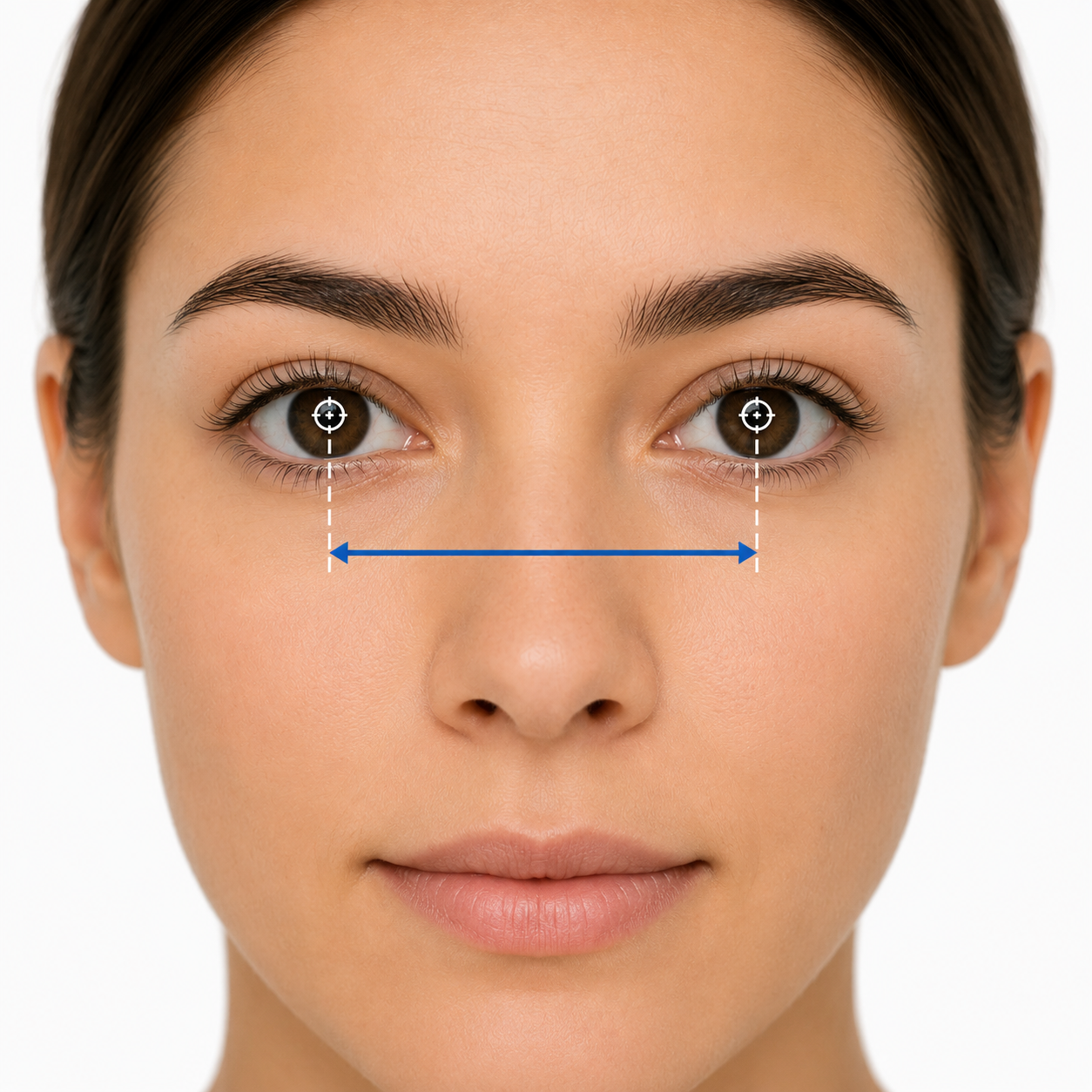
Measuring your PD yourself

Steps:
- Grab a ruler with mm measurement or you can use a credit card. If you have a friend to help you, ever better.
- Stand around 20 cm away from a mirror keeping your face straight and looking directly ahead.
- Place the ruler or card directly across the bridge of your nose, line up the zero mark with the centre of one pupil.
- Note the number that lines up with the centre of your other pupil.
- Using a ruler measure the distance between both numbers and that is your PD number.
Using the Opthy app
Measure your PD in just a few steps. A quick scan gives you a personalised, comfortable fit.
Scan the QR code to download the app. App available on iPhone X and above.
Having trouble with the QR code? Search for Opthy on the App Store.
Need help?
Frequently Asked Questions
Your pupillary distance (PD) is the space between your pupils.We use it to position your lenses for clear, comfortable vision.
PD isn’t usually included in your prescription.It’s measured when you choose your glasses, to ensure the right fit.
There are a few easy ways to measure your PD.
• Use an app or online tool • Take a photo using a card, or measure with a ruler • Visit your local optician
Your PD helps align your lenses properly. Without it, you may notice strain or discomfort.
For the best result, measure your PD first. Use the Opthy app or a simple card method.
Single (combined) PD
This is one number.It measures the distance between the centre of both pupils.
Dual (separate) PD
This is two numbers. It measures each eye from the centre of the pupil to the bridge of your nose.
You might see it written like this: 32 / 30. The first number is your right eye. The second is your left.
Both do the same job. Dual PD simply gives a more precise fit.
Yes, you can, but for ease and accuracy, we recommend using the Opthy app or the card method.
If you want to use a ruler:
- Stand straight, an arm’s length from a mirror.
- Place a ruler across your eyebrows.
- Close your right eye. Line up 0 mm with the centre of your left pupil.
- Look straight ahead. Close your left eye, open your right.
- Note the mm marking that lines up with your right pupil. That’s your PD.
- If needed, halve this number and enter it for each eye.